
There are two ways to connect to the In.Corp VPN
1. THROUGH TASKBAR
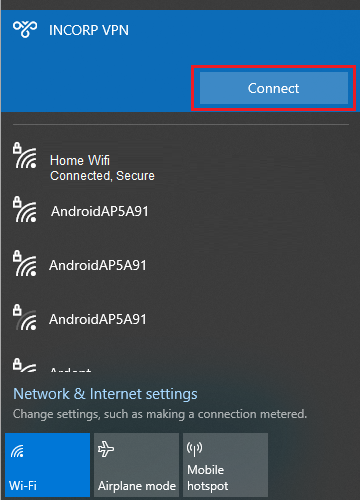
Click Network > INCORP VPN and click Connect
2. THROUGH DESKTOP SHORTCUT
1. On your desktop, open INCORP VPN

2. Enter your username and password given to you on your Internal Communication. (Search VPN Credentials)
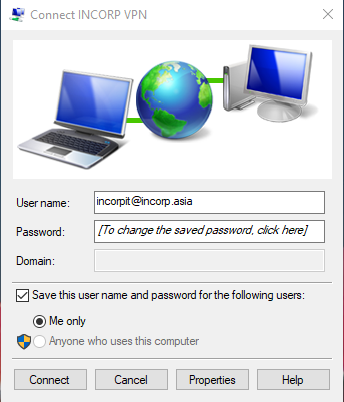
- User name: This should be an email not your Laptop or Portal username
- Password: Your password
- Domain: Not applicable
- Tick “Save this user name and password…” so that you will not need to enter your password every time.