
Use the following steps to connect to an external monitor.
- Connect the external monitor to the appropriate connector on the laptop, such as an HDMI connector.
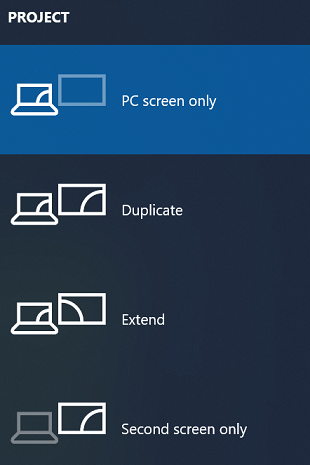
- Open the Project dialog. Windows logo key
 + P can also be used to open the Project dialog. Choose Duplicate, Extend, or Second screen only to use the external monitor.
- PC Screen Only – do not use the external monitor.
- Duplicate – show the same screen on both devices.
- Extend – create extended desktop space on the external monitor.
- Second screen only – display the screen only on the external device.
Windows should select the correct display resolution automatically when connecting to an external monitor. If there are issues, try adjusting the display settings.